From dishes sold to stock you can check.
Explore three Foody Kitchen workflows with practical steps and their source procedures.
Actual Foody test captures from 4 October 2026, using synthetic data. These are illustrated walkthroughs, not videos or a session connected to a restaurant. Captures show the French interface. The worked examples below are separate from the values in the captures.
Connect sales to ingredients
Sold quantities support stock tracking once recipes and mappings are configured.
- Enter ingredients, units and recipes, then map the sold dish to its recipe.
- Configured order stages feed ingredient consumption. Check the corresponding stock and preparation movements.
- Compare expected and counted stock at closing. Already-accounted Foody POS sales are not deducted twice.
Worked check
Separate example: 10 dishes using 200 g consume 2 kg. From 10 kg starting stock, with no other movements, theoretical remaining stock is 8 kg.
This assumes a correct recipe, active mappings and no other receipts, issues or losses. Actual stock still requires a count.
Read the complete procedure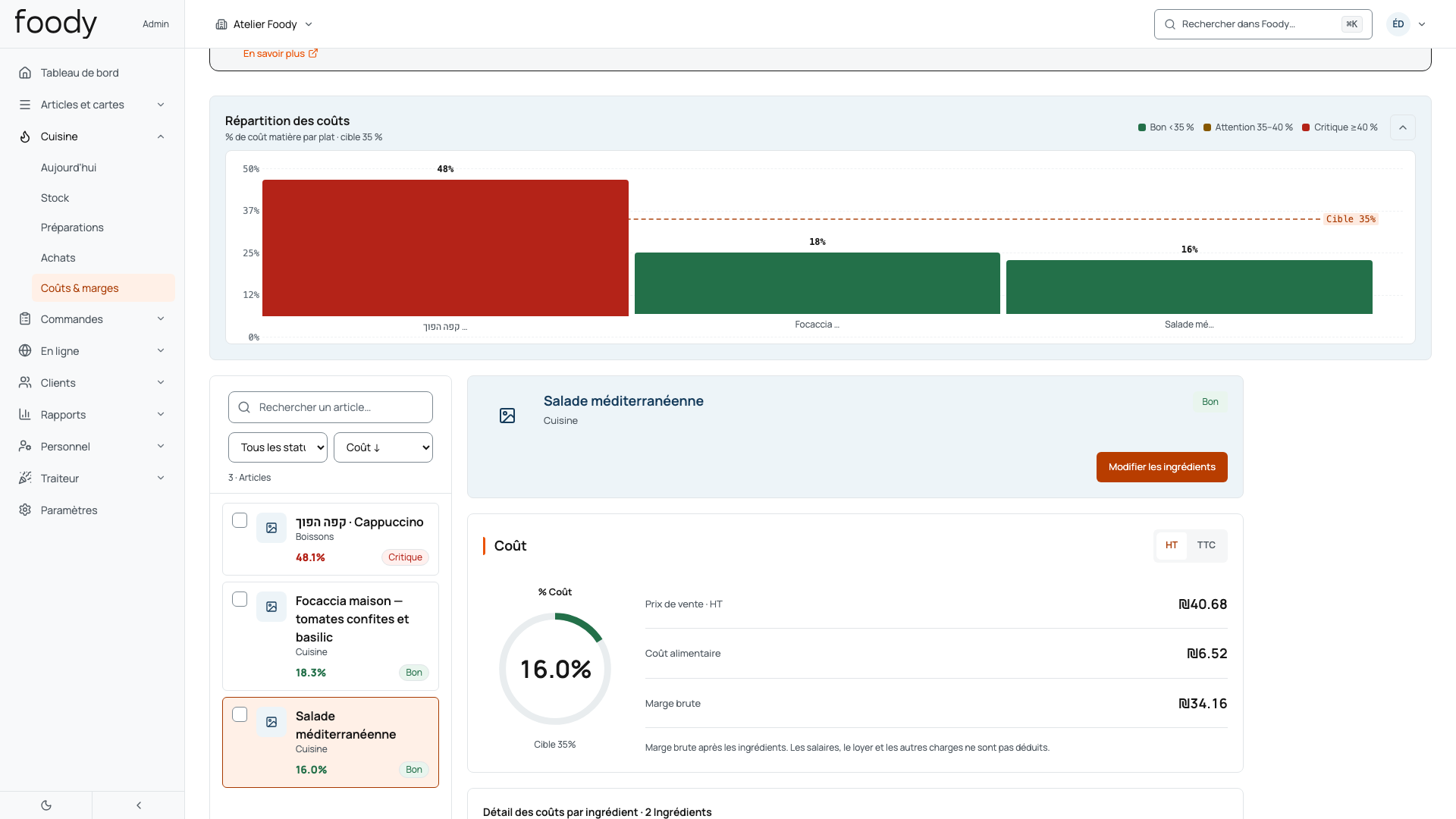
Check what was actually delivered
A purchase order and a receipt are separate facts: check quantities, units and prices.
- Prepare the purchase order from reviewed needs. Purchasing suggestions require review before sending.
- At delivery, enter quantities actually received and check their units and the supplier document.
- Check stock movements and reconcile costs with the original document. Some historical amounts use current stock costs.
Worked check
Separate example: 6 kg ordered and 5.5 kg received give a 0.5 kg discrepancy. At ILS 16/kg, ILS 8 needs reconciliation with the supplier document; no credit note is automatically created.
Check unit conversions and stock mappings. An unlinked line does not create the same stock movement as a linked ingredient.
Read the complete procedure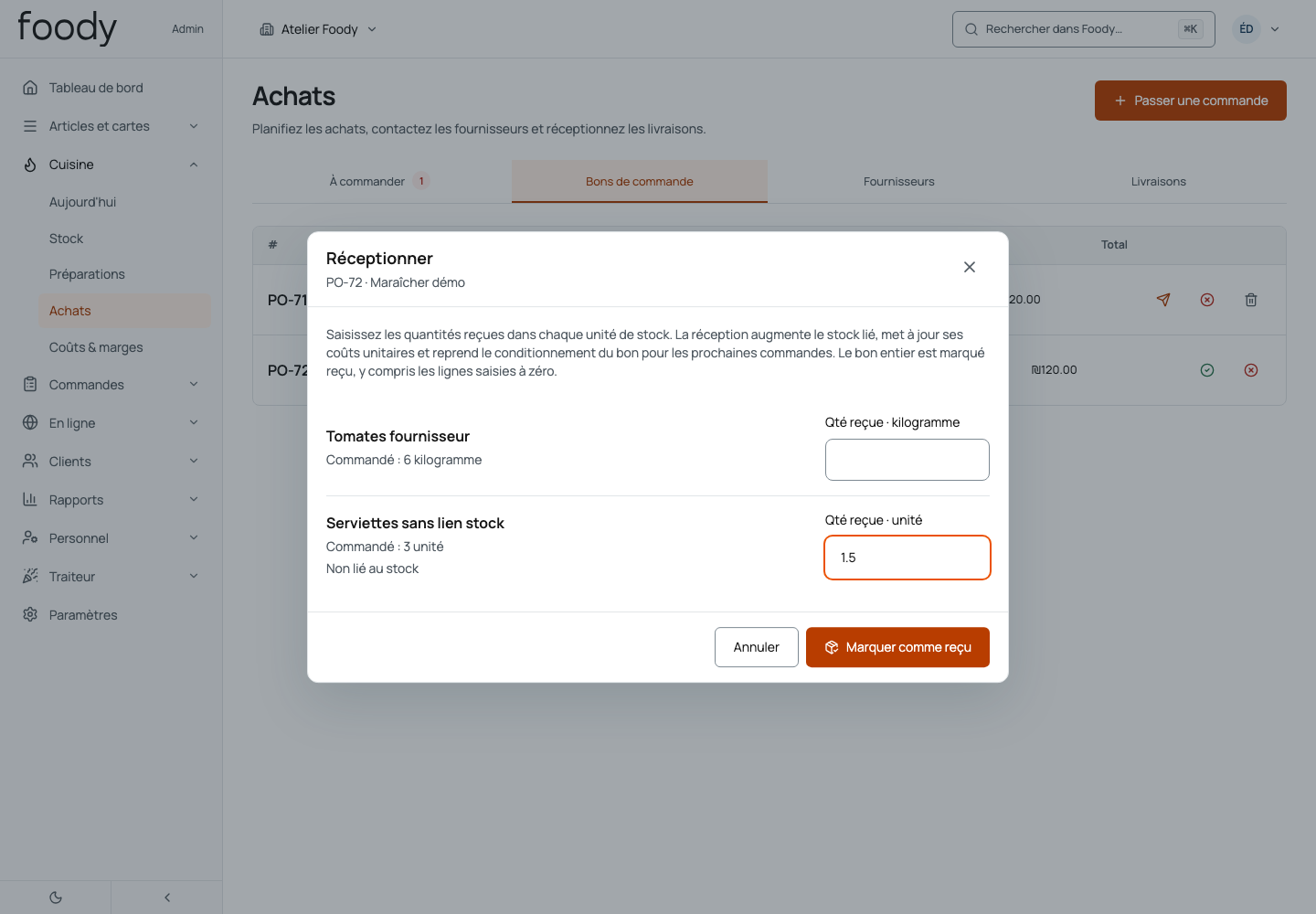
Manage the service day with Companion
One workflow connects preparations, in-service needs and the closing review.
- Before service, review forecasts and preparations to start, then adjust for the day’s conditions.
- During service, follow available preparations and ingredient needs using your team’s permissions.
- At closing, compare expected and counted quantities, review variances and prepare upcoming needs.
Worked check
Separate example: 10 kg expected and 9.5 kg counted produce a −0.5 kg variance to investigate. The variance does not automatically identify its cause.
Forecasts are estimates. Proposed purchases remain drafts for review and manual sending. Siri requires a compatible iPad and activation.
Read the complete procedure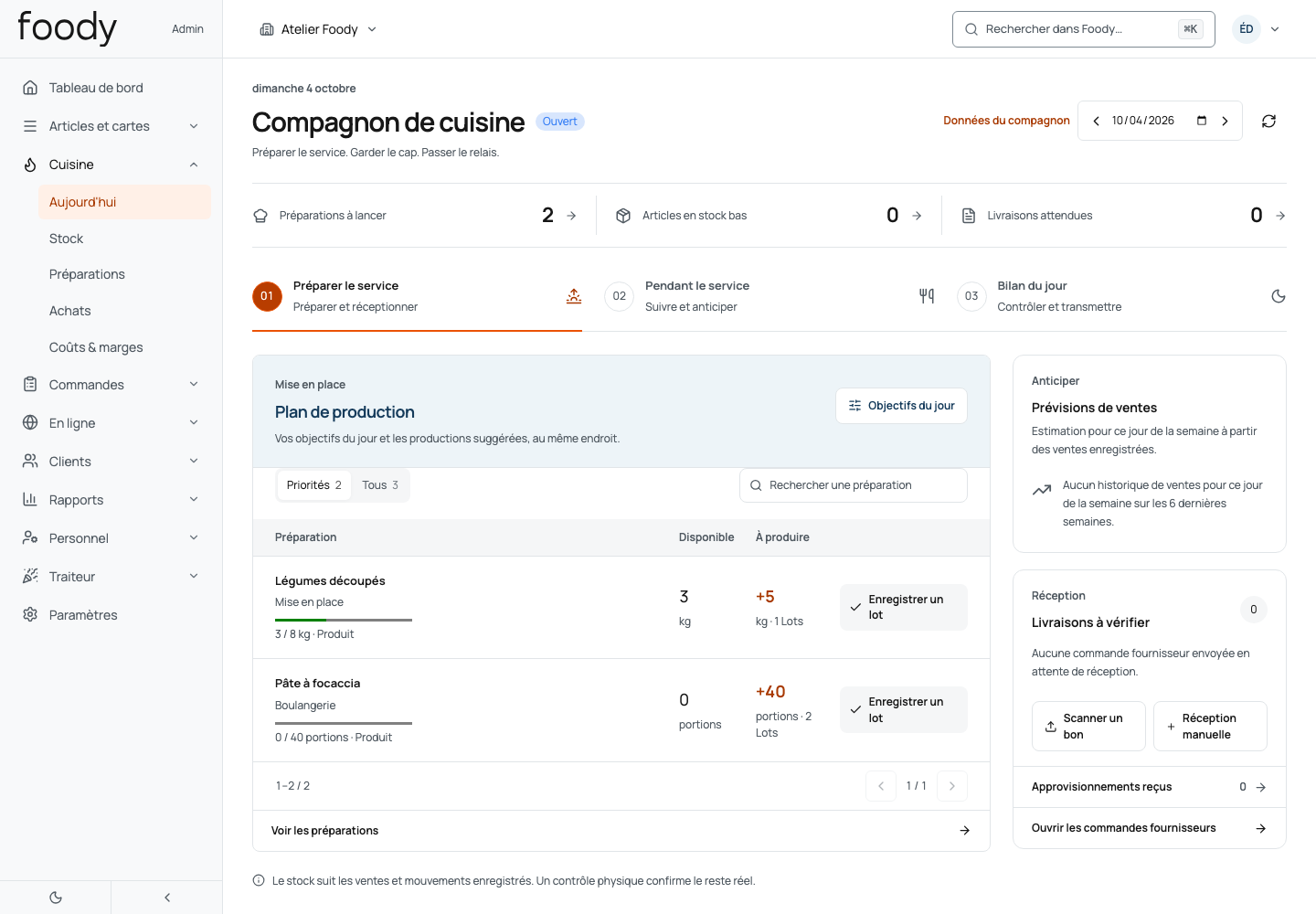
Foody Kitchen is available standalone or in Foody Restaurant & Kitchen. Configure recipes, mappings, units and permissions. These captures do not certify a version installed at a customer restaurant.
Your next chapter starts here.
See Foody in action with a demo built around your business and a proposal covering software, hardware and payment processing.